
You are reading: Fox Finds home Ordering on uidbuy.com
Ordering on uidbuy.com: ten stages and what each asks of you
UIDBuy splits an order into two payments and ten stages. This walk-through follows the official beginner guide in its own order, with the screenshots UIDBuy published and the parts the guide skips over. Public guide and Help Center images checked 25 October 2026.
UIDBuy's own walkthrough video, start to finish
The video moves through the same screens as the written guide: search, item page, cart, warehouse, packing choices and the shipping payment. Two moments are worth pausing on. At 0:56 the item page shows the size row and the line promising free inspection photos. Around 1:42 the warehouse list shows a finished inspection with a count of checks and photos, which is exactly the panel you will open for every pick on this site.
Before step one: an account and a destination
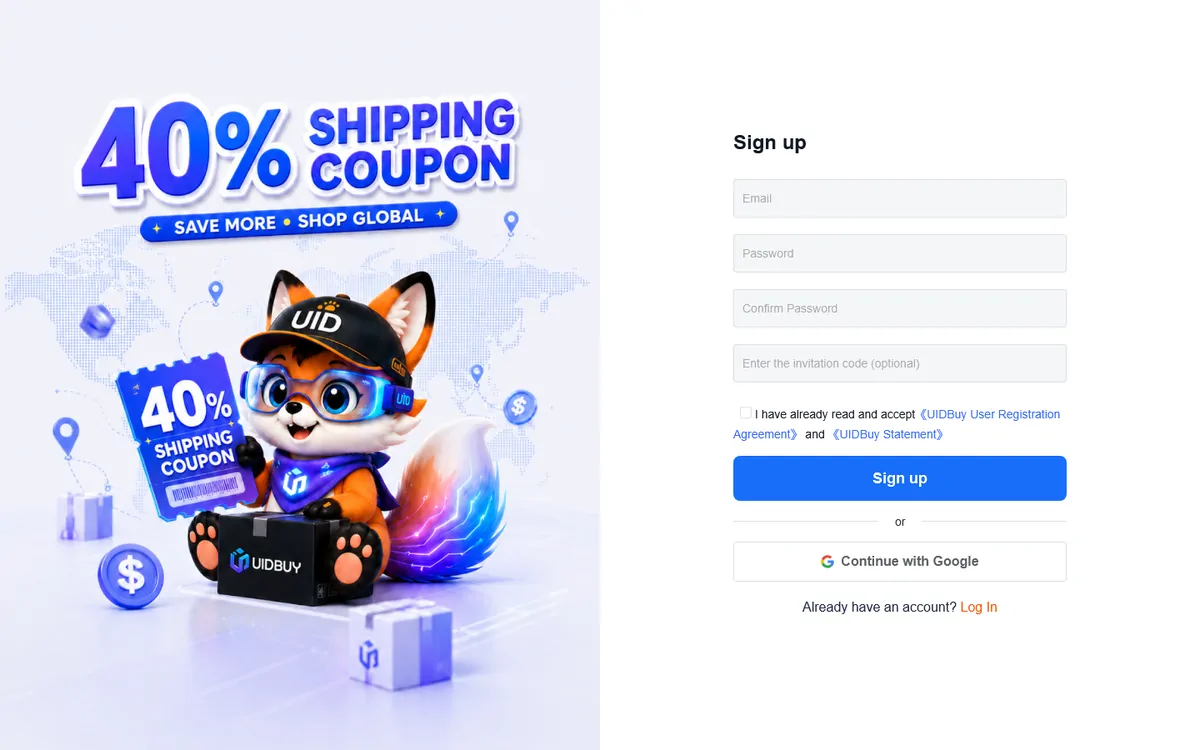
You sign up with any email address plus a password; a Google account works instead. The tick box links to the UIDBuy User Registration Agreement and a separate statement. Read the agreement once: it is where the 8 per cent platform fee wording sits, a figure the help centre contradicts (more on that under money in, money out).
Set your country before you look at prices. The site defaults to US dollars and the item page shows an estimate of freight to the warehouse straight away, but international routes only appear once a destination is known. Register at uidbuy.com when you are ready; nothing on this site needs an account.
The ten steps, screen by screen
Find the item
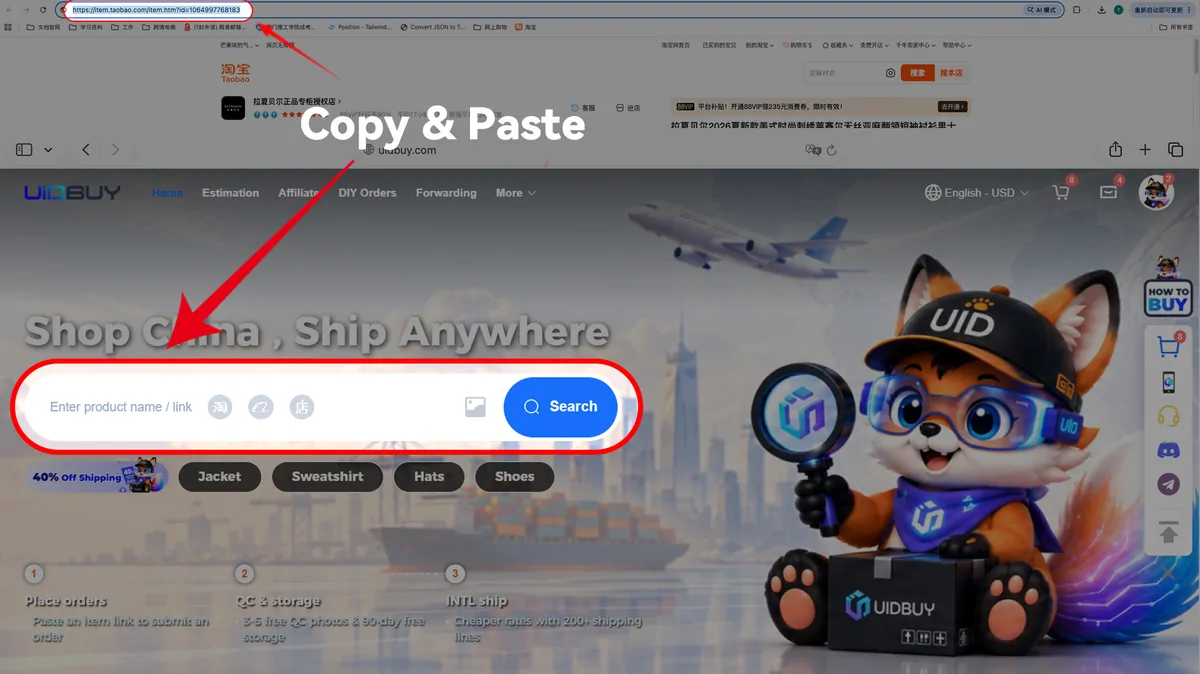
Guide step 1, first method: copy the store link, paste it into the UIDBuy search bar. The shop name in the browser bar is a domestic store. The search bar takes three kinds of input. A store link is one, and UIDBuy says its link tool reads 99 per cent of item pages from Taobao, Tmall and 1688. Words are the second, with results to choose from, and an uploaded photo the third. Keyword results arrive in two tabs, 1688 and Taobao, with a price filter in dollars and sorting by sales or repurchase rate. The items on this site are Weidian listings, so the link route is the one you will use: every pick carries a direct UIDBuy item address.
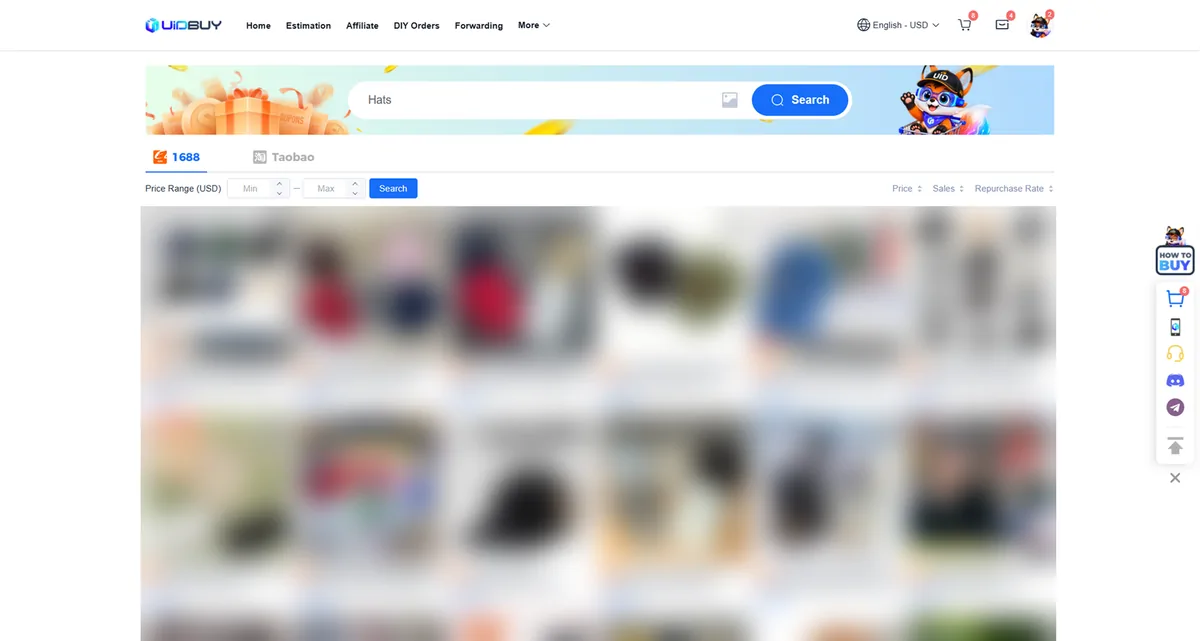
Step 1, second method: keyword search. Product photos are blurred here because the official screenshot showed branded caps. Pick the options and submit
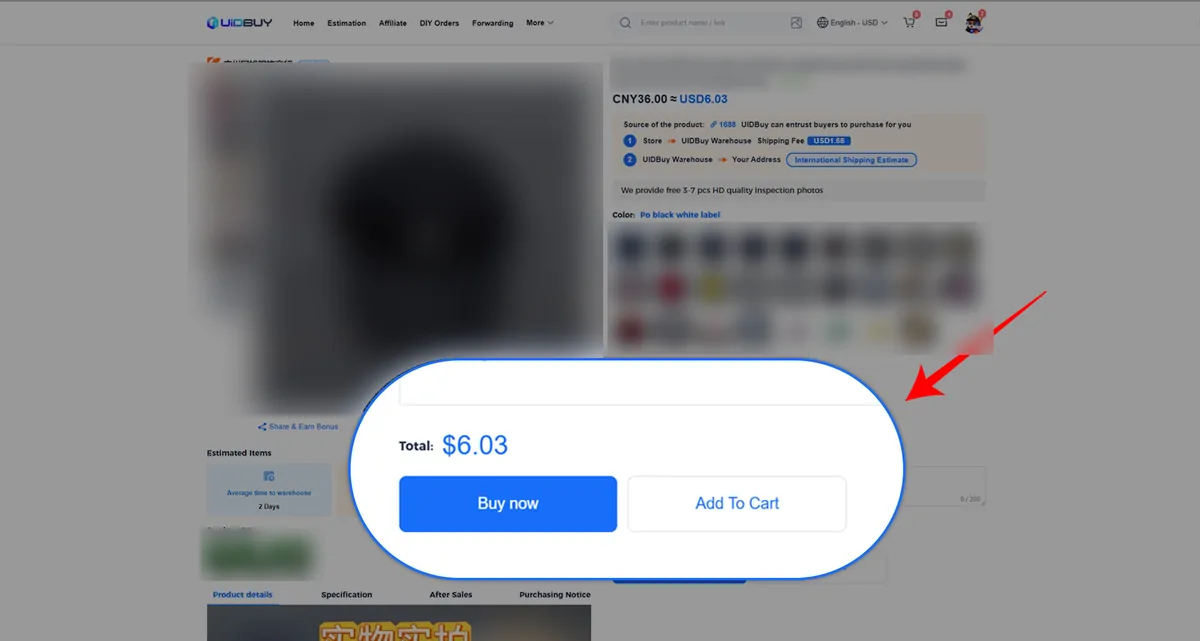
Step 2: the item page. Note the freight line from store to warehouse (USD 1.68 here) and the promise of 3 to 7 inspection photos. The item page converts the yuan price to dollars, adds the seller's freight to the Xiamen warehouse, and lists colour and size buttons in whatever words the seller used. This is where most sizing mistakes are made, because a button labelled XL means whatever the seller's own chart says it means. Our size chart page covers reading those charts. Leave a message in the box under the quantity if you need the warehouse to check something specific.
Confirm the order
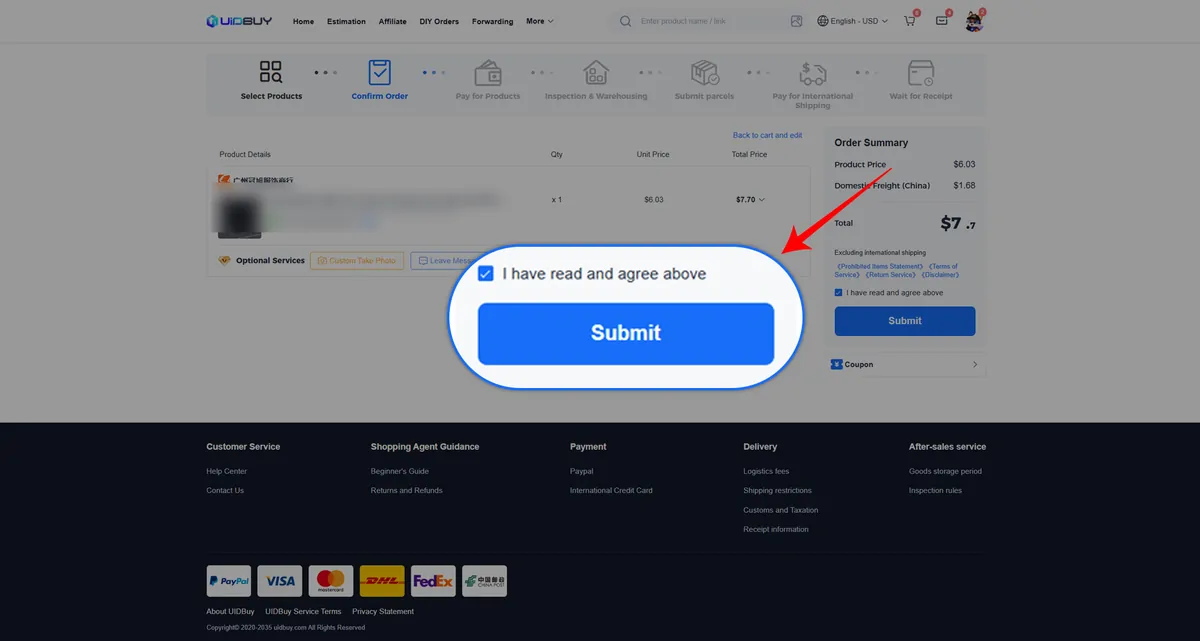
Step 2 continued: confirmation. Optional services (custom photos, a message) sit under the item line. The confirmation screen totals item and domestic freight, offers a coupon slot, and asks for one tick covering four documents: the disclaimer, the return service, the terms and the list of prohibited items. The two optional services shown, custom photos and a message, are the cheapest moment to ask for close-ups: request them now and they are shot when the item arrives, no second trip to the shelf.
Pay for the goods
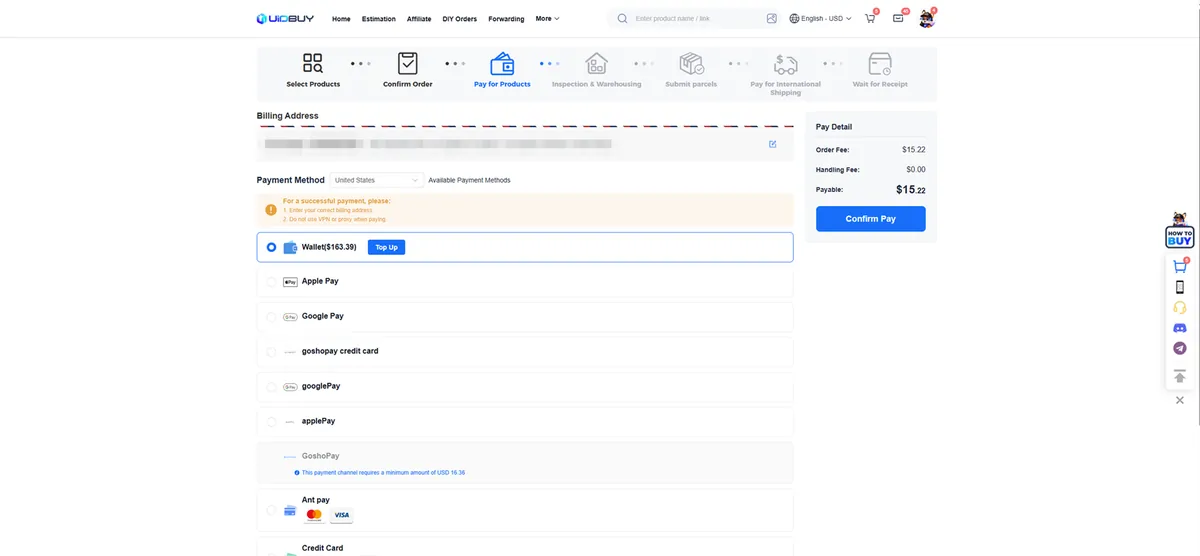
Step 3: payment. The billing address is masked here; the official screenshot carried a sample name and phone number. The written guide lists PayPal, cards and Google Pay; the payment screen in the same guide shows a wallet balance, Apple Pay, Google Pay and several card processors, one with a minimum charge of USD 16.36. The pay box splits order fee and handling fee; the handling fee in the example was zero. Two warnings sit above the methods in orange: give a correct billing address, and switch off any VPN or proxy before paying.
UIDBuy buys it

Step 4: the purchase, drawn by UIDBuy. A UIDBuy buyer messages the seller and pays for your item. Orders that land during UIDBuy's Beijing working day (8 am to 6 pm) are handled inside six hours; anything later waits until 2 pm the following day. Taobao and 1688 sellers usually dispatch in three to seven days. If the seller says out of stock even though the page shows hundreds, believe the seller: UIDBuy's help centre says plainly that store stock counts are often stale. You can change an option only until the seller ships.
Arrival, inspection and storage
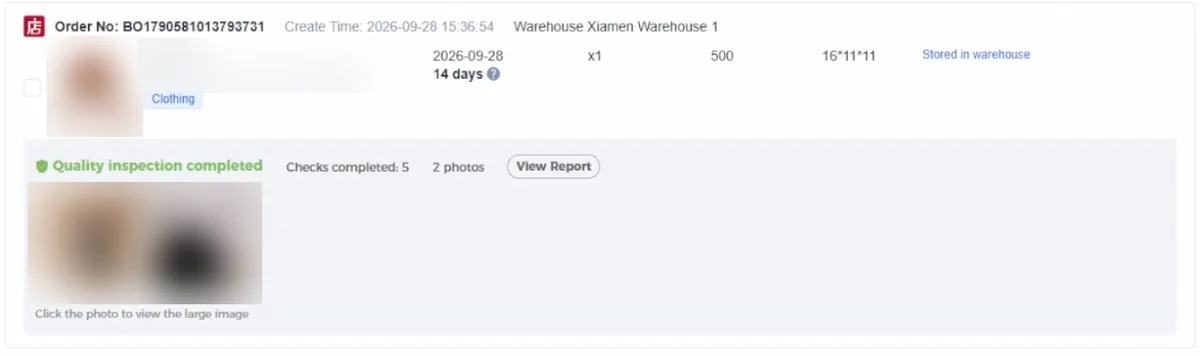
Step 5, from the guide video at 1:42: one stored item, its weight (500 g), box size and the inspection line. Item details are blurred. Parcels from the Pearl River Delta reach the Xiamen warehouse in one to two working days, from the Yangtze River Delta in three to five, and from further away in about seven. Inspection usually takes a working day. The moment the status reads stored, three things start: the photos appear under Warehouse, a 120-hour window for return requests opens, and the free storage count begins. Warehouse photos explains what to look for.
Choose items and submit a parcel
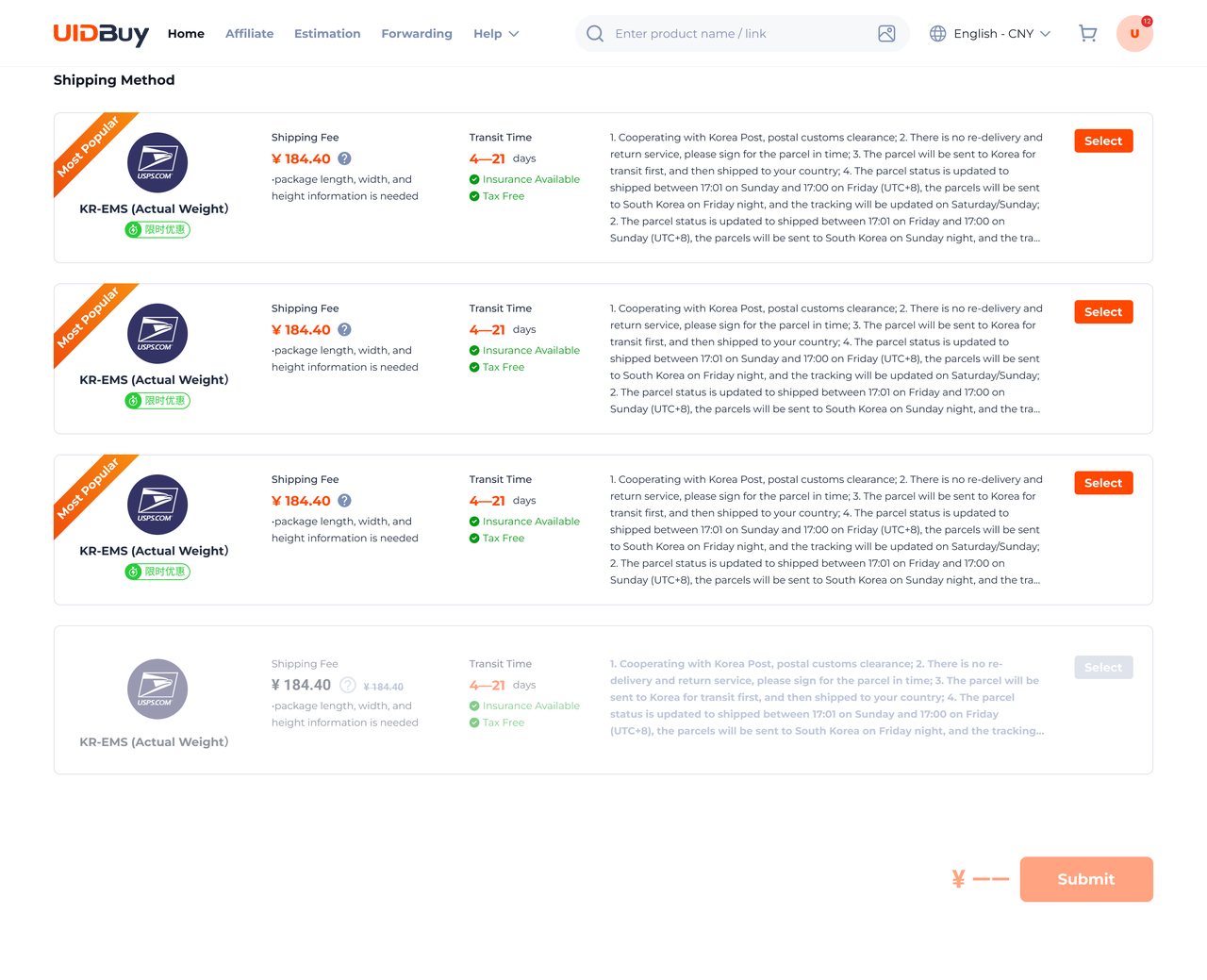
Official Help Center example: choose an available Shipping Method, then Submit. This shows route selection; address, declaration and extra-service fields are outside this image. Sample prices and transit times are not a current quote. Open full-size image. 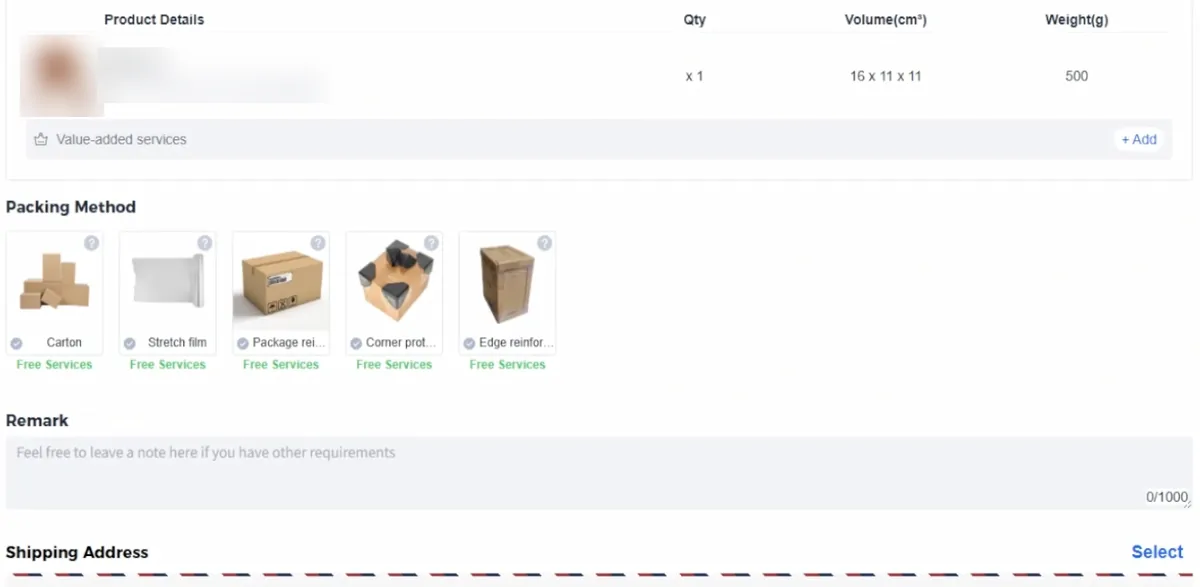
Step 6, from the guide video at 2:02: five packing methods, each marked as a free service. Item name blurred. Tick stored items, choose a packing method and a route, and add a remark. The video shows five packing choices marked free: carton, stretch film, package reinforcement, corner protectors and edge reinforcement. Some items cannot travel together: anything 90 cm or longer on any side is flagged for separate packing, and items with mailing restrictions narrow the route list. If the route list is empty, the help centre says to check those restrictions first.
Pay the shipping deposit
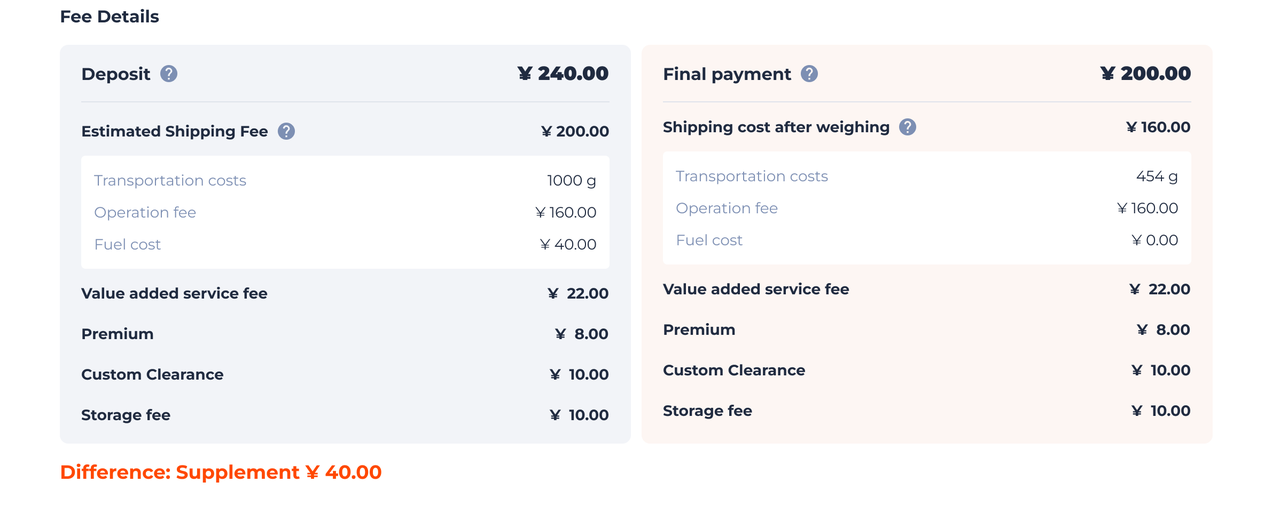
Official Help Center example of the Deposit and Final payment columns. Its difference label conflicts with the displayed totals, so use this to locate fee components, not to calculate a refund or extra payment. Open full-size image. UIDBuy's beginner-guide step 7 explains the freight deposit, but its payment illustration still highlights Pay for Products. The fee breakdown here is the useful public shipping example; it is not a screenshot of the final freight checkout.
The shipping payment is a deposit based on estimated weight, route and destination. Once the box is sealed, Xiamen puts it on the scale and takes its dimensions; if the carrier later adjusts the weight, its figure wins. If the deposit overshot by at least one continued-weight block, the surplus is refunded to your UIDBuy balance no later than 72 hours after the parcel ships; if too low, a pending payment appears under Parcel.
Packing and dispatch
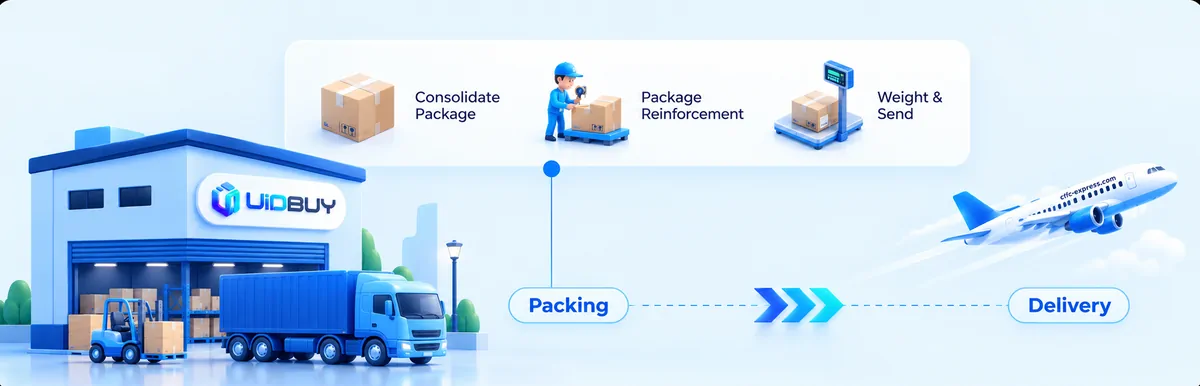
Step 8: consolidate, pack, reinforce, weigh, send. Illustration by UIDBuy. Consolidation is where a multi-item order saves money: one first-weight charge instead of several. UIDBuy's own worked example in the help centre does not add up (it quotes 645 yuan in one line and a sum that comes to 672 in the next), so treat it as a picture of the idea rather than a price. Two paid extras exist here: a rehearsal pack for CN¥20 if you want the real weight before you commit, and a CN¥5 parcel photo taken before and after sealing.
Tracking and delivery
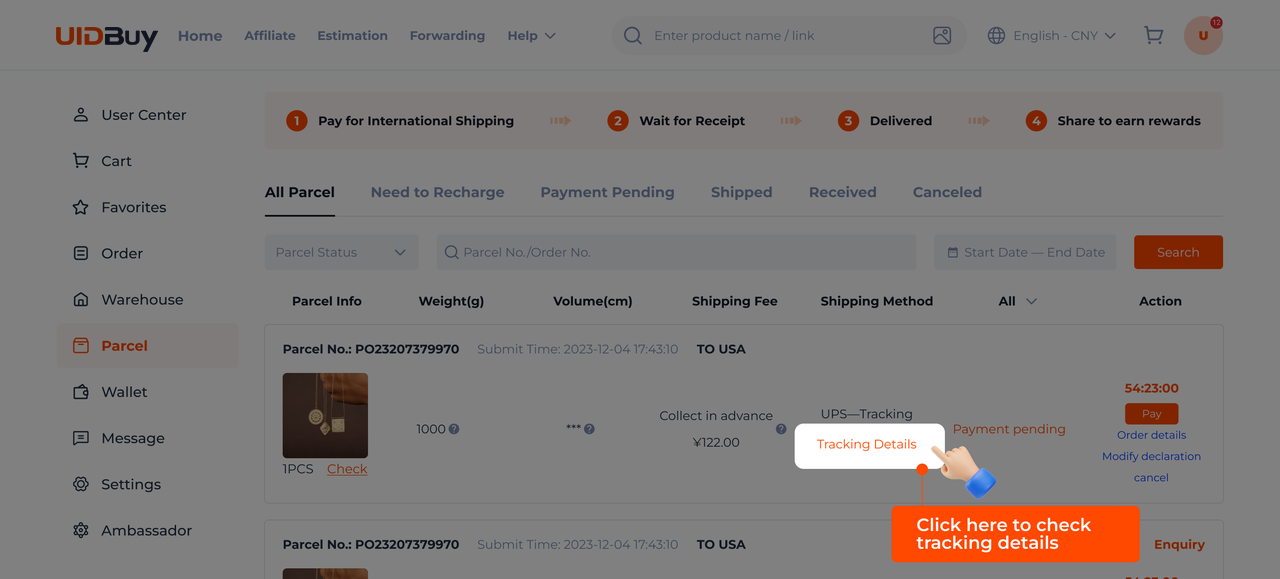
Official Help Center example: open Tracking Details on the relevant parcel. This shows the tracking entry point, not a complete carrier scan history. Open full-size image. 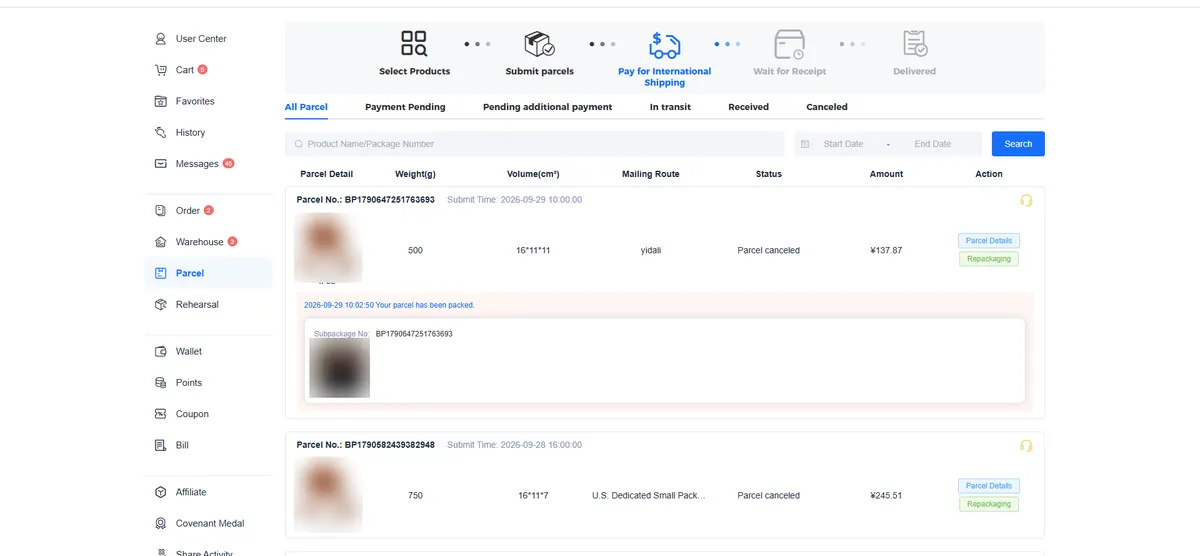
Step 9: the parcel list. Product thumbnails blurred; the official screenshot showed caps with a ball-club mark. 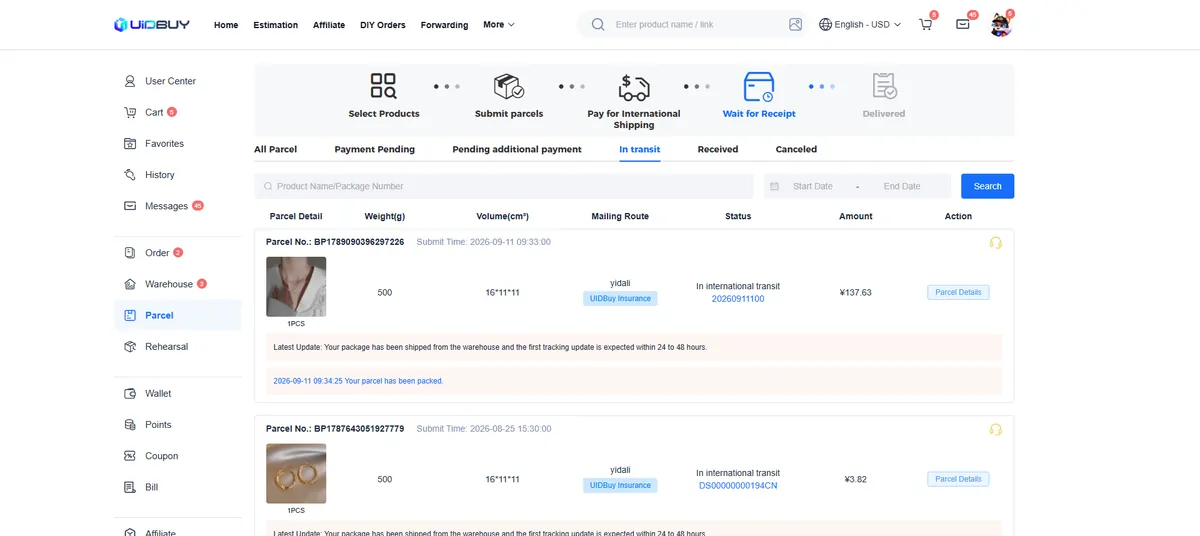
Step 10: in transit. Confirm receipt here, or open an after-sales request. The parcel list has tabs for pending payment, pending additional payment, in transit, received and cancelled. Use Tracking Details on the relevant parcel, or check the same tracking number with the carrier or 17TRACK; scan updates can lag during international handovers. Once it arrives, confirm delivery under Parcels or open an after-sales request from the same row. Every route in the estimator carries a label that returns a fifth of the freight when a parcel spends more than 30 days on the road, part of a campaign UIDBuy switched on in July 2026.
Where first orders on UIDBuy usually stall
- Options chosen from the button names alone. Colours called 1, 2 and 3 are common on the Weidian stores in our picks; match them to the photo order on the item page, then say which one you mean in the message box.
- The 120-hour window missed. Photos arrive, life happens, five days pass. After that, returns depend on the seller's goodwill rather than the standard procedure.
- A parcel built around one heavy item. One pair of boots can push a box past the weight where a cheaper line stops quoting. Run the estimator with and without it.
- Expecting a power-on test. The warehouse checks only the outside of electronics and the accessories it can see; it does not switch anything on.
For the money side of each step, read money in, money out. For the parcel side, shipping from Xiamen.